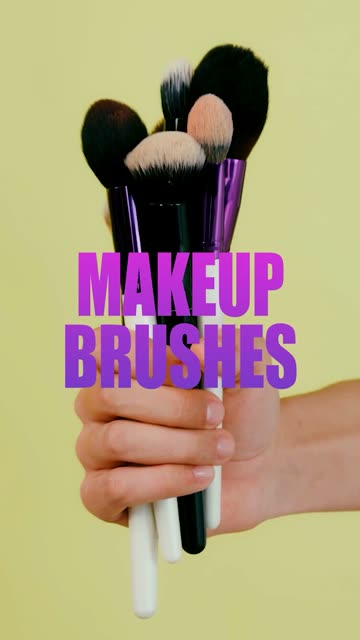
Post every day.
Without editing every day.

Start from an idea, an article link, or a two-hour podcast.

Selects writes it, cuts it vertical, captions it, and leaves every cut editable.

7 days free trial

From an idea

Say what you want to make. Selects looks at what's working in that niche, plans the short, and cuts it from your clips. Missing a shot? It generates one.

Prompt: Find what's working in holiday baking videos right now and cut my version from today's piping footage
From an article link

Paste a link to a news story or a post. No footage needed: Selects reads it, writes the script, and generates the narration and the visuals.

Prompt: Create an explainer video from this news link: nytimes.com

From a long video

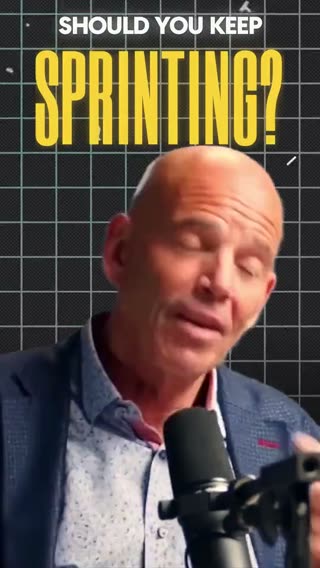
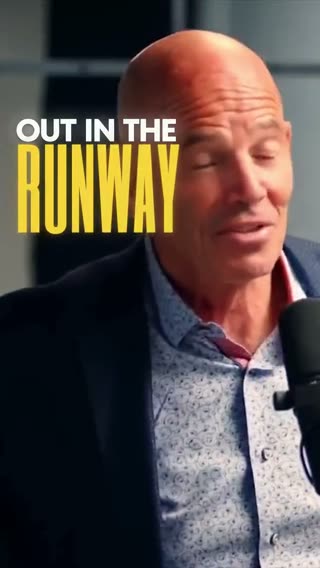
Drop in a podcast, a stream or a talk. Selects watches all of it, pulls the moments worth posting, and cuts each one vertical.

Prompt: Create 3 short form clips of this podcast

The feed wants a new one tomorrow.
Today's still isn't cut.

Short-form runs on volume. Three a week is the floor, one a day is what grows, and every one of them is its own edit: find the moment, trim it under a minute, reframe it to vertical, caption it, and write a hook that holds the first two seconds.

By hand, that is an afternoon per clip. So the long video you already made sits there with ten good shorts inside it, the article you meant to explain stays an open tab, and the idea stays an idea.

None of that work is taste. It is labour. Selects takes the labour, and you keep the calls.

Everything a short needs,
without the afternoon it takes

Finds the moments worth posting

Selects watches the whole recording, not just the transcript, and pulls out the hooks, the laughs and the hot takes. Ask for eight, or ask for the one about pricing.

Vertical without losing the subject

16:9 in, 9:16 out. The frame follows whatever matters in the shot, so the speaker, the hands or the product stays in it the whole time.

Captions in your style

Word by word, big and bold, or small and soft. Describe the look once and every clip in the batch wears it. Then tune it by hand.

Paste a Reel you love

See a short you want yours to feel like? Drop the link, and Selects rebuilds its cuts, pacing, captions and effects around your footage.

Start from a template

A template is a saved editing style: the layout, captions, graphics and pacing of a finished short. Pick one, add your footage, and type one prompt.

Clip a long video

One podcast recording in, short clips out. The name above each clip is the template it was cut with.

A16Z Style

Ali Abdaal Style

Refined Ambition Style

EO Style

Trending edits

Your own clips or photos, cut in a style that's trending on short-form right now.

Same podcast. Eight shorts by lunch.

Time to edit, done manually versus with Selects: Cutting 8 shorts · 1h podcast
Cutting 8 shorts · 1h podcastEditing manuallySelects
Total time5h 00m0h 15m
Find the moments worth posting1hincluded
Trim each one to length1hincluded
Reframe to vertical1hincluded
Caption every clip1hincluded
Write a hook title for each40mincluded
Export every version20mincluded

10,000+ projects,
80% time reduced.

Professionals are already seeing the payoff.

The client said they wanted it super fast.And the only reason I'm not worriedis because we are using Selects.

The Chef Gal (@dachefgyal)

DP, Producer & Editor based in NYC

This will actually look at the video,and it'll catch those reaction shots,those subtleties that all others are gonna miss.

Brent Pierce

Podcast Studio & Video Production Company Owner

Honestly,this is one of the best editing toolsI've tried in a long time.

Serge Morgotch

Video Editing Educator & Creator

This is what AI should really be about,helping us filmmakersrather than taking our job.

Luca Epifani

Filmmaker & Video Creator

A brand-new AI editing softwarethat has literally changedmy 20-year workflow overnight, permanently.

DJ Kerr

Video Editor / Motion Graphics Artist

The client said they wanted it super fast.And the only reason I'm not worriedis because we are using Selects.

The Chef Gal (@dachefgyal)

DP, Producer & Editor based in NYC

This will actually look at the video,and it'll catch those reaction shots,those subtleties that all others are gonna miss.

Brent Pierce

Podcast Studio & Video Production Company Owner

Honestly,this is one of the best editing toolsI've tried in a long time.

Serge Morgotch

Video Editing Educator & Creator

This is what AI should really be about,helping us filmmakersrather than taking our job.

Luca Epifani

Filmmaker & Video Creator

A brand-new AI editing softwarethat has literally changedmy 20-year workflow overnight, permanently.

DJ Kerr

Video Editor / Motion Graphics Artist

FAQ

Do I need footage to make a short?

No. Give Selects an idea or a link to an article, and it writes the script and generates the narration and the visuals.

If you do have footage, it cuts from yours first and only generates what's missing.

Which platforms is it for?

Anything vertical: YouTube Shorts, Instagram Reels and TikTok. Ask for the length and the aspect ratio you want, and Selects cuts to it.

What is a template?

A saved editing style. It holds the layout, captions, graphics and pacing of a finished video.

  1. Choose a template.
  2. Add your own footage or photos. For some templates, a link is enough.
  3. Type one prompt, and Selects edits your material into that style.
How many shorts can I get from one long video?

As many as it has in it. Ask for a number, a length or a subject, like the three best answers about pricing, and each one comes back as its own clip.

Can I change the edit after Selects makes it?

Yes. Every result is a regular Selects project on a real timeline. Change any cut, caption or graphic by hand, or keep giving notes in chat the way you would to an editor.

Can I finish a short in Adobe Premiere?

Yes. Any edit hands off to Adobe Premiere, Final Cut Pro or DaVinci Resolve as a project file, so you can keep working in the editor you already use.

Explore our help center for all articles