



Tools for jobs nobody built
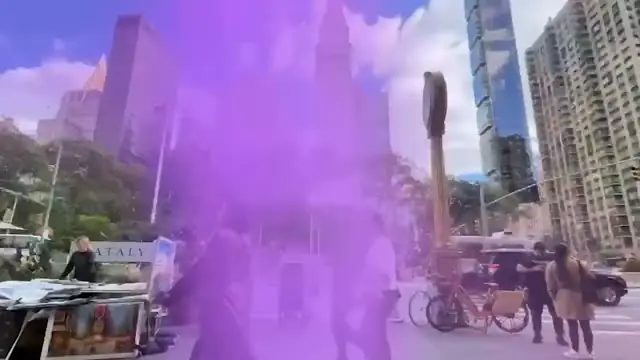
Shot it on one camera? A tool can offer a close-up, a side profile or a wider view of the same take, so the cut has somewhere to go.
Missing a control?
Ask for it.
Describe the job and the controls you want. Selects builds the tool inside the app, and you work it by hand from there.
Free plan, no credit card required
Shot it on one camera? A tool can offer a close-up, a side profile or a wider view of the same take, so the cut has somewhere to go.
Say what the tool is for and which controls it needs: a typeface menu, a fill, a size. Selects builds the panel, and each change you make in it shows on the shot.
A tool is for the calls you'd rather make yourself. Drag a slider for how hard the zooms hit on each brush, and the cut follows it.
Type what you want the way you'd tell an editor. These are real prompts, and the clips are what came back.
Prompt: Build me a slider for how hard the zooms hit on each brush
Prompt: Build a tool that gives me a close-up or a wider view of the same take, so my one-camera demo has somewhere to cut
Prompt: Make a fact check panel that lists every number and date I say, with the timecode, so I can check them before I post
Prompt: Give me a panel with a toggle for caption density and a button that trims a second off the end of every clip
Drop in your footage
Describe the tool and its controls
Work it by hand, then export
Professionals are already seeing the payoff.
The client said they wanted it super fast.And the only reason I'm not worriedis because we are using Selects.

The Chef Gal (@dachefgyal)
DP, Producer & Editor based in NYC
This will actually look at the video,and it'll catch those reaction shots,those subtleties that all others are gonna miss.

Brent Pierce
Podcast Studio & Video Production Company Owner
Honestly,this is one of the best editing toolsI've tried in a long time.

Serge Morgotch
Video Editing Educator & Creator
This is what AI should really be about,helping us filmmakersrather than taking our job.

Luca Epifani
Filmmaker & Video Creator
A brand-new AI editing softwarethat has literally changedmy 20-year workflow overnight, permanently.

DJ Kerr
Video Editor / Motion Graphics Artist
The client said they wanted it super fast.And the only reason I'm not worriedis because we are using Selects.
The Chef Gal (@dachefgyal)
DP, Producer & Editor based in NYC
This will actually look at the video,and it'll catch those reaction shots,those subtleties that all others are gonna miss.
Brent Pierce
Podcast Studio & Video Production Company Owner
Honestly,this is one of the best editing toolsI've tried in a long time.
Serge Morgotch
Video Editing Educator & Creator
This is what AI should really be about,helping us filmmakersrather than taking our job.
Luca Epifani
Filmmaker & Video Creator
A brand-new AI editing softwarethat has literally changedmy 20-year workflow overnight, permanently.
DJ Kerr
Video Editor / Motion Graphics Artist
No. You describe the job and the controls in plain words, and Selects builds the tool.
It's new and still changing. Building your own tools is part of the new Selects beta, which you turn on with Try the new Selects on the Home screen.
It's the same kind of thing, made for your job. Selects comes with built-in apps like Captions, Remove silence and Generate video, and a tool is an app of your own that you asked chat to build.
Yes. Your edit stays on a real timeline, so you can change any cut by hand or keep giving notes in chat.
Explore our help center for all articles
Download Selects and make your first edit today.
Free plan, no credit card required