Every shot generated, none filmed
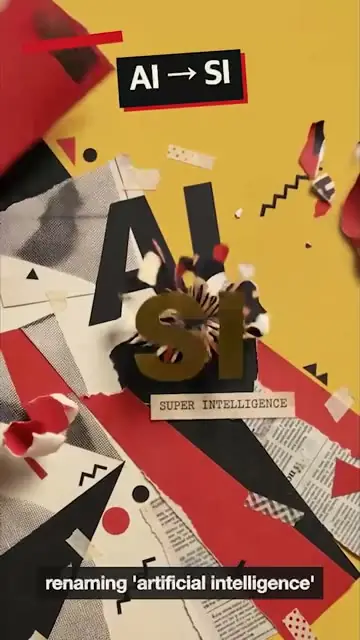
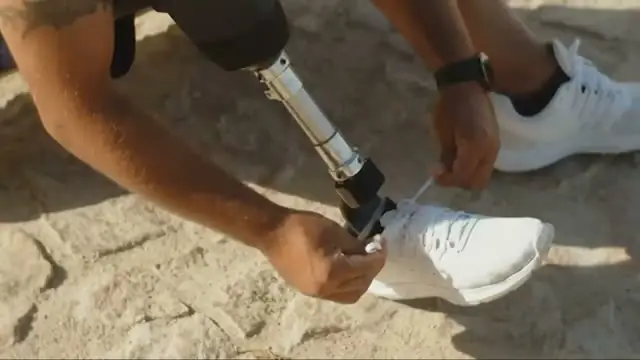
No footage needed. Selects generates each scene as video or an image, up to 30 seconds a shot, and cuts them to the narration.
Type an idea.
Get the video.
Start from an idea or a link to an article.
Selects writes the script, generates the shots and the voice, and cuts it on a timeline you can change.
Free plan, no credit card required
Prompt: Create an explainer video from this news link: nytimes.com
A video with no shoot behind it still needs everything a shoot gives you: a script, a voice, a shot for every line, and titles that land on the words. Each one is a different tool and a different afternoon.
Most AI video generators hand back one finished clip. If a shot is wrong you start over, because there is nothing to fix it on. Selects builds the video on a timeline, so you change the shot, not the whole video.
No footage needed. Selects generates each scene as video or an image, up to 30 seconds a shot, and cuts them to the narration.
The narration is generated from the script, in the language the script is written in. Pick a voice, or match one from up to three short clips of your own.
Ask for titles, callouts and animated text, and Selects puts them on screen where the narration says them. Made from what you ask for, not dragged out of a template.
Every shot, title and line of narration lands on a timeline you can change. Swap a shot by describing a new one, or retime a title by hand.
| 90-second explainer · from an article | Editing manually | Selects |
|---|---|---|
| Total time | 8h 30m | 0h 30m |
| Write the script | 1h | included |
| Record the voiceover | 1h | included |
| Source a shot for every line | 3h | included |
| Animate titles and callouts | 2h | included |
| Cut it to the narration | 1h | included |
| Caption it | 30m | included |
Professionals are already seeing the payoff.
The client said they wanted it super fast.And the only reason I'm not worriedis because we are using Selects.

The Chef Gal (@dachefgyal)
DP, Producer & Editor based in NYC
This will actually look at the video,and it'll catch those reaction shots,those subtleties that all others are gonna miss.

Brent Pierce
Podcast Studio & Video Production Company Owner
Honestly,this is one of the best editing toolsI've tried in a long time.

Serge Morgotch
Video Editing Educator & Creator
This is what AI should really be about,helping us filmmakersrather than taking our job.

Luca Epifani
Filmmaker & Video Creator
A brand-new AI editing softwarethat has literally changedmy 20-year workflow overnight, permanently.

DJ Kerr
Video Editor / Motion Graphics Artist
The client said they wanted it super fast.And the only reason I'm not worriedis because we are using Selects.
The Chef Gal (@dachefgyal)
DP, Producer & Editor based in NYC
This will actually look at the video,and it'll catch those reaction shots,those subtleties that all others are gonna miss.
Brent Pierce
Podcast Studio & Video Production Company Owner
Honestly,this is one of the best editing toolsI've tried in a long time.
Serge Morgotch
Video Editing Educator & Creator
This is what AI should really be about,helping us filmmakersrather than taking our job.
Luca Epifani
Filmmaker & Video Creator
A brand-new AI editing softwarethat has literally changedmy 20-year workflow overnight, permanently.
DJ Kerr
Video Editor / Motion Graphics Artist
Yes. Describe the idea in the Home chat, or paste a link to an article, and Selects builds the video from scratch with motion graphics, text, and AI-generated video, images and voice.
If you do have footage, add it, and Selects cuts from yours first and only generates what's missing.
Several, each for its own job.
The models
The language the script is written in. Write the script in Spanish and the voice speaks Spanish. There's no language picker to set.
To re-voice a clip you already have, Translate takes clips up to 5 minutes into 29 languages.
Generation runs on credits. In the Generate video app, the cost shows before you click Generate.
You can download Selects and start on the Free plan, no credit card required.
Yes. Every shot, title and line of narration sits on a real timeline. Describe a new shot and Selects generates it, or trim, move and retime anything by hand.
Yes. Ask for 9:16 when you describe the video, or set the frame size to 1080×1920.
To change the shape of a clip you already have, Reframe in Generate video takes clips up to 60 seconds and fills in the new edges.
Explore our help center for all articles
Download Selects and make your first edit today.
Free plan, no credit card required