







The best take of every point
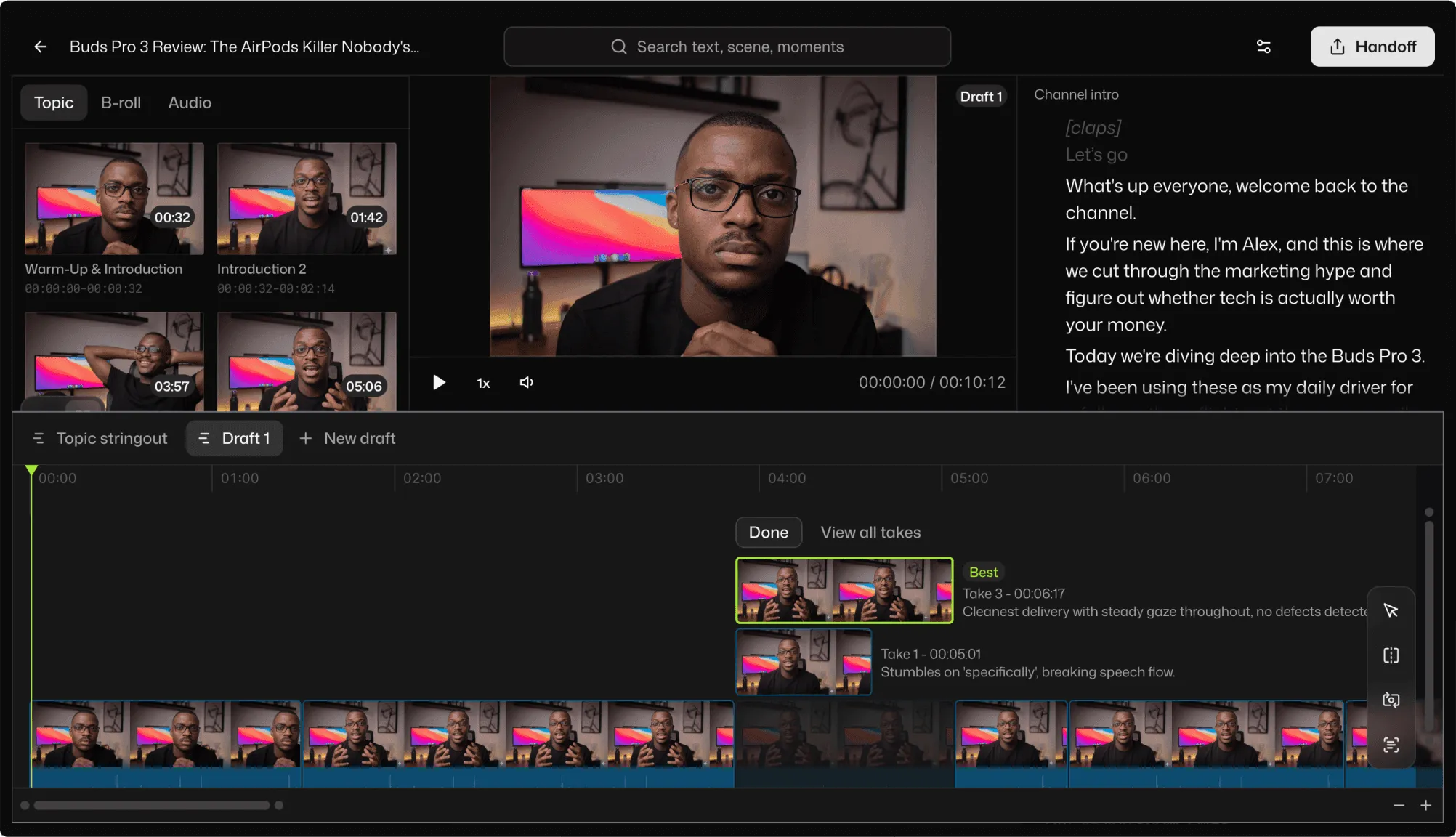
Said it four times before it came out right? Ask chat to group the takes and keep the best one. Disagree with its pick, and swap in another by hand.
Say it four times.
Keep the best one.
Talk to the camera for as long as it takes to get it right.
Selects keeps the best take, cuts the pauses and the ums, and captions what's left.
Free plan, no credit card required
Talking to a camera means saying it four times, losing the thread, starting over, and leaving a pause every time you think. Ten minutes of video comes out of forty minutes of that.
Cutting it is the part nobody sees: scrubbing for the good take, trimming every breath, chasing every um. Selects does that pass, and you decide what stays.
Said it four times before it came out right? Ask chat to group the takes and keep the best one. Disagree with its pick, and swap in another by hand.
Cut hesitations, hedges like "you know", and repeated words: every one, or with as few jump cuts as possible. Works on English footage, and Restore puts them back.
Pick no gap, short or medium, or set it exactly: cut anything over 0.8 seconds, but keep the pause after a question. Restore puts them back.
Word by word, big and bold, or small and soft. Describe the look once and every clip in the batch wears it. Then tune it by hand.
| One 10m video · 40m raw | Editing manually | Selects |
|---|---|---|
| Total time | 3h 00m | 0h 20m |
| Pick the best take of each point | 1h | included |
| Cut the silences | 30m | included |
| Cut the filler words | 30m | included |
| Caption it | 30m | included |
| Fix misspelled names | 15m | included |
| Export | 15m | included |
Professionals are already seeing the payoff.
The client said they wanted it super fast.And the only reason I'm not worriedis because we are using Selects.

The Chef Gal (@dachefgyal)
DP, Producer & Editor based in NYC
This will actually look at the video,and it'll catch those reaction shots,those subtleties that all others are gonna miss.

Brent Pierce
Podcast Studio & Video Production Company Owner
Honestly,this is one of the best editing toolsI've tried in a long time.

Serge Morgotch
Video Editing Educator & Creator
This is what AI should really be about,helping us filmmakersrather than taking our job.

Luca Epifani
Filmmaker & Video Creator
A brand-new AI editing softwarethat has literally changedmy 20-year workflow overnight, permanently.

DJ Kerr
Video Editor / Motion Graphics Artist
The client said they wanted it super fast.And the only reason I'm not worriedis because we are using Selects.
The Chef Gal (@dachefgyal)
DP, Producer & Editor based in NYC
This will actually look at the video,and it'll catch those reaction shots,those subtleties that all others are gonna miss.
Brent Pierce
Podcast Studio & Video Production Company Owner
Honestly,this is one of the best editing toolsI've tried in a long time.
Serge Morgotch
Video Editing Educator & Creator
This is what AI should really be about,helping us filmmakersrather than taking our job.
Luca Epifani
Filmmaker & Video Creator
A brand-new AI editing softwarethat has literally changedmy 20-year workflow overnight, permanently.
DJ Kerr
Video Editor / Motion Graphics Artist
Yes. Selects transcribes and watches what you recorded, so it doesn't need a script to cut from. Ask it to group the takes of each point and keep the best one, or for a cut of a set length.
If you did write a script, attach it in chat and Selects cuts to it in script order.
No. Cutting filler words works only on footage transcribed in English. It finds hesitations like um and uh, hedges like "you know" and "sort of", and repeated words.
Transcription itself covers 90+ languages, and captions can hide filler words in English and Korean without changing the cut.
Only as many as you allow. When you cut filler words, choose All occurrences to take out every one, or Minimum jump cuts to keep the number of jumps down.
If a jump still shows, ask chat to cover it with B-roll from your footage.
As long as you say. Remove silence has No gap, Short and Medium presets, or set the timing yourself. You can also ask chat for rules, like remove silences longer than 0.8 seconds, but leave pauses that follow a question.
Yes. Open the Captions app, pick one of 14 built-in looks or restyle one to suit, like big and bold, one word at a time, and fix any word before you apply them. Captions land on their own track.
Yes. Restore puts removed pauses or filler words back, and your source media is never changed. Every result is a regular timeline, so you can also bring back any moment by hand.
Explore our help center for all articles
Download Selects and make your first edit today.
Free plan, no credit card required