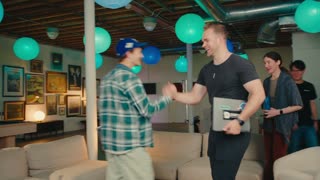
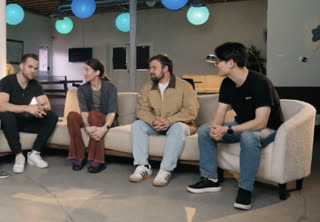
Screen and face cam, in sync
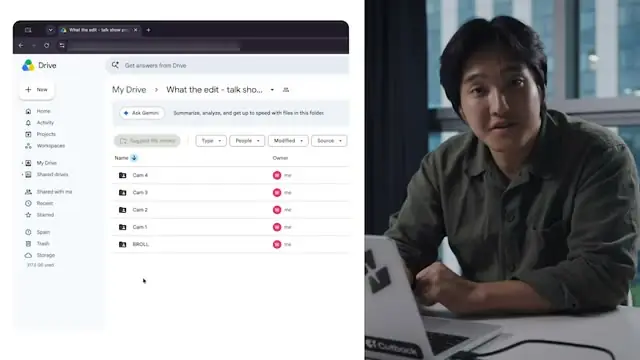
Drop in the screen recording and the webcam file. Selects lines them up by their audio, then cuts between them where you tell it to.
Record the how-to.
Skip the dead air.
Record your screen and your face cam, retakes and all.
Selects syncs the two, cuts the waiting, and captions every step.
Free plan, no credit card required
Prompt: Cut the ums and the dead air while I look for the right folder
Prompt: Build me a slider for how hard the zooms hit on each brush
Prompt: Reframe this for vertical and keep my hands and the bowl in frame the whole time
A 15-minute tutorial comes out of 45 minutes of recording: the step you redid, the menu you couldn't find, the progress bar, and the screen and your face in two separate files.
Lining them up and cutting the waiting takes longer than recording did. Selects does the lining up and the cutting, and you check that the steps are right.
Drop in the screen recording and the webcam file. Selects lines them up by their audio, then cuts between them where you tell it to.
"Show the screen recording whenever I mention the export menu." Chat searches your analyzed footage, then shows you where each clip goes before it places them.
The ten seconds you spent hunting for a menu don't need to be in the video. Cut every pause over a length you set, or speed up the stretch where a page is loading.
Said it four times before it came out right? Ask chat to group the takes and keep the best one. Disagree with its pick, and swap in another by hand.
| One 15m tutorial · 45m screen and cam | Editing manually | Selects |
|---|---|---|
| Total time | 4h 00m | 0h 25m |
| Sync screen and face cam | 30m | included |
| Pick the best take of each step | 1h | included |
| Cut dead air and loading | 1h | included |
| Switch between screen and camera | 30m | included |
| Cut filler words | 30m | included |
| Caption it | 30m | included |
Professionals are already seeing the payoff.
The client said they wanted it super fast.And the only reason I'm not worriedis because we are using Selects.

The Chef Gal (@dachefgyal)
DP, Producer & Editor based in NYC
This will actually look at the video,and it'll catch those reaction shots,those subtleties that all others are gonna miss.

Brent Pierce
Podcast Studio & Video Production Company Owner
Honestly,this is one of the best editing toolsI've tried in a long time.

Serge Morgotch
Video Editing Educator & Creator
This is what AI should really be about,helping us filmmakersrather than taking our job.

Luca Epifani
Filmmaker & Video Creator
A brand-new AI editing softwarethat has literally changedmy 20-year workflow overnight, permanently.

DJ Kerr
Video Editor / Motion Graphics Artist
The client said they wanted it super fast.And the only reason I'm not worriedis because we are using Selects.
The Chef Gal (@dachefgyal)
DP, Producer & Editor based in NYC
This will actually look at the video,and it'll catch those reaction shots,those subtleties that all others are gonna miss.
Brent Pierce
Podcast Studio & Video Production Company Owner
Honestly,this is one of the best editing toolsI've tried in a long time.
Serge Morgotch
Video Editing Educator & Creator
This is what AI should really be about,helping us filmmakersrather than taking our job.
Luca Epifani
Filmmaker & Video Creator
A brand-new AI editing softwarethat has literally changedmy 20-year workflow overnight, permanently.
DJ Kerr
Video Editor / Motion Graphics Artist
Yes, when both files have audio. Selects lines them up by their audio waveform, or by timecode if your recorder writes it. A clap at the start helps.
A file with no audio track can't sync this way. Place it by hand with markers instead.
You tell it. Ask chat something like show the screen whenever I'm clicking through a step, and cut back to my face for the intro and the wrap-up. It shows you the plan before it changes the draft.
Yes. Ask chat to cut every pause over a length you choose, or to speed up the stretch where you're waiting. Speed runs from 25% to 1000%.
Yes, by hand. The Effects app has zooms, and the Adjust tab scales and positions a shot with keyframes, so you can push in on a menu and ease back out.
Yes. Add captions in the Captions app and style them how you like. Selects also splits each recording into topics, and the transcript export can include timecode and topic titles to start your chapter list from.
Yes. Selects is a desktop app for Windows 11 and for Macs with Apple Silicon. Intel Macs aren't supported.
Explore our help center for all articles
Download Selects and make your first edit today.
Free plan, no credit card required