Pick what counts as filler
Hesitations like um, uh and er. Hedging like you know, like and sort of. Repeated words. Choose any of the three, and Selects cuts them from the transcript and the timeline at once.
Lose the ums.
Keep how you talk.
Selects finds the ums, the you-knows and the repeated words in English footage and cuts them. You pick which kinds go.
Free plan, no credit card required
Hesitations like um, uh and er. Hedging like you know, like and sort of. Repeated words. Choose any of the three, and Selects cuts them from the transcript and the timeline at once.
Said the same line three times? Ask chat to group the takes of a line and it keeps the best one, so the stumbles go with the fillers.
Every cut shows on the timeline and in the transcript. Cut every occurrence, or choose Minimum jump cuts to keep jump cuts to a minimum. Restore filler words puts them back while you're still in the tool.
Type what you want the way you'd tell an editor. These are real prompts, and the clips are what came back.
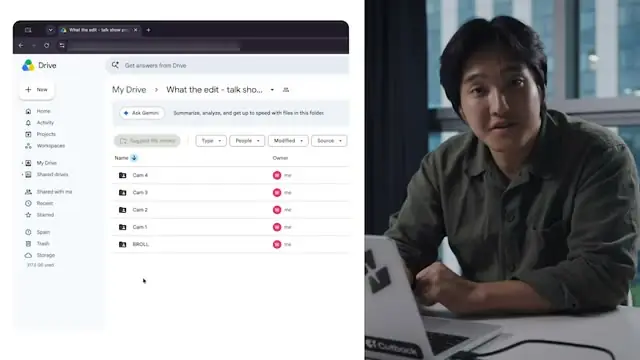
Prompt: Cut the ums and the dead air while I look for the right folder
Prompt: Cut the ums and uhs but leave the likes, that's how I talk
Prompt: When I restart a sentence, keep only my last try
Prompt: Take out every "you know" and "sort of" in the interview answers
Drop in your video
Pick the fillers to cut
Check the cuts, then export
| Cleaning up · 20 min talking head | Editing manually | Selects |
|---|---|---|
| Total time | 2h 20m | 0h 10m |
| Find every um and uh | 40m | included |
| Cut the hedges | 30m | included |
| Cut repeats and restarts | 30m | included |
| Smooth the jump cuts | 20m | included |
| Watch it back | 20m | included |
Professionals are already seeing the payoff.
The client said they wanted it super fast.And the only reason I'm not worriedis because we are using Selects.

The Chef Gal (@dachefgyal)
DP, Producer & Editor based in NYC
This will actually look at the video,and it'll catch those reaction shots,those subtleties that all others are gonna miss.

Brent Pierce
Podcast Studio & Video Production Company Owner
Honestly,this is one of the best editing toolsI've tried in a long time.

Serge Morgotch
Video Editing Educator & Creator
This is what AI should really be about,helping us filmmakersrather than taking our job.

Luca Epifani
Filmmaker & Video Creator
A brand-new AI editing softwarethat has literally changedmy 20-year workflow overnight, permanently.

DJ Kerr
Video Editor / Motion Graphics Artist
The client said they wanted it super fast.And the only reason I'm not worriedis because we are using Selects.
The Chef Gal (@dachefgyal)
DP, Producer & Editor based in NYC
This will actually look at the video,and it'll catch those reaction shots,those subtleties that all others are gonna miss.
Brent Pierce
Podcast Studio & Video Production Company Owner
Honestly,this is one of the best editing toolsI've tried in a long time.
Serge Morgotch
Video Editing Educator & Creator
This is what AI should really be about,helping us filmmakersrather than taking our job.
Luca Epifani
Filmmaker & Video Creator
A brand-new AI editing softwarethat has literally changedmy 20-year workflow overnight, permanently.
DJ Kerr
Video Editor / Motion Graphics Artist
Or just tell chat, like cut the ums but leave the likes.
Three kinds: hesitations (um, uh, er), hedging ("you know", "like", "sort of") and repeated words. You choose at least one, and it leaves the others alone.
No. Cut filler words works only on footage transcribed in English.
Captions are different: the Captions app can hide filler words in English and Korean captions without changing the cut.
Yes. Restore filler words puts them all back while you're still in the tool. After that, every cut is on the timeline, so you can restore any single word by hand.
It works on analyzed footage, and analysis runs on credits. Chat uses credits too, unless you connect your own paid Claude or ChatGPT plan.
You can download Selects and start on the Free plan, no credit card required.
Explore our help center for all articles
Download Selects and make your first edit today.
Free plan, no credit card required