Can Claude Edit Videos? What It Can Watch, Analyze and Cut
Can Claude edit videos? What Claude can watch, analyze and cut today, what our editor's tests showed, and how people get accurate cuts on real footage.

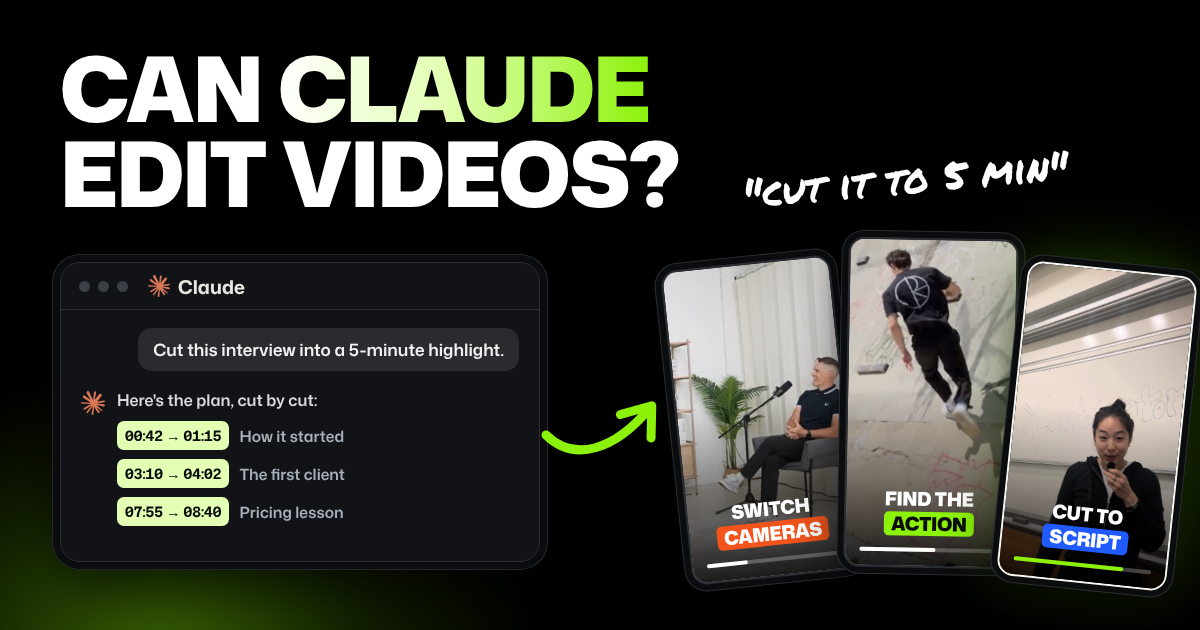
TLDR: Claude can't watch a video, since it reads text and still images, not video files. It plans edits well and Claude Code can cut files, but in our tests Claude alone clipped words and missed action. For accurate cuts, people connect Claude to an AI video editor that analyzes the footage first.
You have footage, a Claude plan and one question: can Claude edit videos for you? Here's a plain answer to each part of it, from watching and analyzing to cutting and generating. You'll also see what happened when a professional editor on our team tried it.
Can Claude edit videos? The short answers
Here's what Claude can do with video, checked against Anthropic's own pages on October 31, 2026.
| Question | Short answer | Source |
|---|---|---|
| Can Claude watch videos? | No. Anthropic's upload list covers documents and images, with no video or audio files | Claude Help Center |
| Can Claude analyze videos? | Yes, through a transcript or still frames you give it. It doesn't see motion or hear sound | Claude vision docs |
| Can Claude edit videos on its own? | In the Claude app, it writes a plan. Claude Code can run tools on your computer that cut the file | Claude Code docs |
| Can Claude generate videos? | Not real footage. Claude Motion makes animations built from code and saves them as MP4 files | Claude Motion guide |
| Can Claude control a video editor? | Yes, through connectors, which link Claude to outside apps, including some video editors | Claude connectors docs, Descript connector |
Can Claude watch videos or take a video upload?
No. Anthropic's list of files you can upload covers documents, like PDFs, Word files and spreadsheets, and images (JPEG, PNG, GIF and WebP). Video and audio files aren't on the upload list.
Anthropic's developer docs add one detail about pictures. Claude reads still images, and for an animated GIF it only uses the first frame.
So the closest Claude gets to watching is looking at screenshots. Grab a few frames, upload them, and it can describe each one. It still won't see what happens between them.
Can Claude analyze videos?
Yes, once you turn the video into something it can read. The usual way is a transcript: the text of everything said, often with a timestamp for each word. Transcription apps and many video editors make one for you.
From a transcript, Claude is good at the thinking part of an edit:
- Finding the story. It spots the strongest answers, the best opening line and the parts to cut first.
- Planning the edit. It lists which parts to keep, in what order, with times.
- Writing around the video. Titles, descriptions, chapter markers and a script for a reshoot.
What it can't do from text is hear or see the video. A transcript doesn't show a pause, a laugh, a stumble or which camera is on whom. And a transcript's word times are only as accurate as the tool that made them.
In our test, even ElevenLabs Scribe v2 placed word edges about 120 ms off. That's about four frames at 30 fps. Selects measures word edges on the audio itself, to about 10 ms.
Four frames sounds small, but you can hear it. A cut four frames into the next word clips a consonant or clicks. A cut four frames early leaves an awkward pause before a breath.
| Setup | What it reads | How close the cut points get |
|---|---|---|
| Claude alone | Transcript text only | No word times at all |
| Claude with Scribe v2 | Transcript with a time for each word | About 120 ms (4 frames at 30 fps) |
| Claude with Selects | Transcript plus word edges measured on the audio | About 10 ms |
Can Claude edit a video on its own?
In the Claude app, no. It can hand you a plan or a list of times to cut, but you still make every cut in a video editor.
Claude Code is different. It's Anthropic's coding tool, and it runs commands on your computer. That means it can use ffmpeg, a free tool that cuts and joins video files from typed commands.
Add a transcription tool for word times, and Claude Code can turn its plan into a new video file. Many Claude Code video editing tutorials use this setup. Claude Code comes with paid Claude plans, not the free one, and its work draws on the same usage limits as your chats.
The catch is that Claude still works from text, numbers and an occasional still frame. It can't play its own cut back and hear whether a word got clipped.
What happened when our editor tried it
Our team tested this on real footage, with one run per job.
Test 1: a 5-minute highlight from a 30-minute interview
The setup copied the pattern in most "Claude edits video" tutorials:
- Footage: a 30-minute public interview.
- Transcript: ElevenLabs Scribe v2, with a time for every word (5,104 words).
- Editor: Claude Opus, run in Claude Code.
- Request: "Make a 5-minute (300-second) highlight reel. Output cut list as JSON." JSON is a text format that lists each cut's start and end.
Claude returned 11 cuts and reported a total of 299.32 seconds. The cuts actually added up to 578.24 seconds, 93% over the target. Claude got its own math wrong.
Here's where each cut landed:
| Cut | Window (seconds) | Length | Where it broke |
|---|---|---|---|
| 1 | 33.42 to 62.22 | 28.8s | Ended mid-thought: "So let's talk about extreme co-design." |
| 2 | 71.14 to 101.06 | 29.9s | Ended mid-clause: "You have to take the algorithm." |
| 3 | 469.32 to 510.58 | 41.3s | Started and ended mid-sentence |
| 4 | 735.26 to 792.00 | 56.7s | Started and ended mid-sentence |
| 5 | 792.00 to 835.44 | 43.4s | Started and ended mid-sentence |
| 6 | 947.14 to 1005.00 | 57.9s | Started mid-sentence: "Well, um, I had, I..." |
| 7 | 1085.64 to 1148.08 | 62.4s | Started and ended mid-sentence |
| 8 | 1148.08 to 1204.54 | 56.5s | Started and ended mid-sentence |
| 9 | 1329.40 to 1392.00 | 62.6s | Started mid-sentence |
| 10 | 1448.72 to 1524.60 | 75.9s | Started and ended mid-sentence |
| 11 | 1580.82 to 1643.66 | 62.8s | Ended mid-sentence |
All 11 cuts broke a sentence. Clips started on "And," "Well," "So" or "Yeah" and ended on a comma, so the result was unwatchable.
Two things cause this:
- Claude estimates instead of adding up. It tracks the start, end and length of every cut, then writes a total that looks right without checking it.
- Claude can't watch its own cut. It hands back a list, and you render it. It never hears the clipped word, so every revision is blind.
Running more copies of Claude at once doesn't fix it. Our editor asked for 6 themed 60-second cuts in two ways:
| Setup | Time to finish | Cuts that broke mid-sentence |
|---|---|---|
| One Claude call making all 6 | 19.4 seconds | 6 of 6 |
| 6 Claude helpers working in parallel | 28.6 seconds | 6 of 6 |
With only 6 cuts, the helpers were slower, because starting them took longer than the work. At 100 versions, one call runs out of room, while 100 parallel calls finish in about 30 seconds. Every version still breaks sentences.
Test 2: four more videos
We then had Claude (Fable 5) cut four more videos on its own, without Selects (the AI video editor we make, covered below):
| Job | Footage | What Claude did | Cost and time |
|---|---|---|---|
| Switch cameras by speaker and reaction | 30-second podcast clip | Switched cameras too fast, and once cut to an unimportant camera | Not listed |
| Make a highlight of every parkour attempt | 17 minutes of parkour footage | Found 2 valid attempts, and kept the talking after an attempt instead of the attempt itself | $12 in tokens, 25 minutes |
| Change cameras naturally in a tech review | 1-minute product video | Cut to the MacBook when the speaker looked at it | $9.42 in tokens, 40 minutes |
| Cut to a script and drop retakes | 7-minute 13-second talking head full of retakes | Made a 2:16 cut (a human editor's ran 1:58), cut in the middle of the word "batch" and kept three stumbles | $5 in tokens, over 15 minutes |
To be fair to Claude, the MacBook cutaway is a call a good editor would make. Where it slipped was precision: clean start and end points, camera switches at a natural pace, and spotting action that has no talking.
Every result, side by side with Selects' results, is on our Claude comparison page.
What newer Claude models do better
Claude keeps getting better at the creative side of video. In one creator's side-by-side test, Claude Opus 5.5 made a 30-second event sizzle reel from about 100 GB of footage. He praised its music, sound effects, pacing and layered graphics.
On a talking-head Instagram reel, it added typing animations and sound effects, though he still wouldn't post it as is. Our editor's tests above ran on earlier models. There, Claude slipped on precise cut points in long, talky footage, which is the gap analysis fills.
Can Claude generate videos?
Not real footage. Claude Motion is a Claude feature that builds short animations as code, like explainers, animated charts and product walkthroughs. You can export each one as an MP4 file, and it's in beta on Team and Enterprise plans.
The same guide says Claude Motion doesn't use a video generation model, so it doesn't create realistic footage or people.
So Claude can make a moving chart for your video. It can't film a scene, and it can't make B-roll (extra footage that plays over someone talking) of real people or places.
What Claude can't touch in a real edit
Even with perfect cuts, a real edit has parts Claude alone can't reach:
- Multicam. Interviews are often shot on 2 to 4 cameras. Claude sees one transcript, with no idea which camera shows whom.
- Separate audio tracks. Each speaker often has their own mic, plus a room mic. Claude only sees the merged transcript, so it can't pick or balance mics per cut.
- B-roll. Claude doesn't know what's in your B-roll folder, and it can't place a clip over the talking.
- Handoff to your editing app. Claude returns a list of cuts as text. Premiere Pro, Final Cut Pro and DaVinci Resolve need a project or timeline file.
| Job | Claude alone | Selects |
|---|---|---|
| Sync several cameras | No | Yes, by matching their audio |
| Pick the best camera for each line | No | Yes, from who's speaking and the shot |
| Keep each mic on its own track | No | Yes |
| Find and place B-roll | No | Yes, matched to the topic and placed on its own track |
| Open the edit in Premiere Pro, Final Cut Pro or DaVinci Resolve | No, text only | Yes, as a project or timeline file |
What people do instead
People who try Claude video editing today use one of three routes. They differ in what you get back and how much you set up.
| Route | What you do | What you get | What it takes | Main gap |
|---|---|---|---|---|
| Transcript and Claude chat | Paste a transcript and ask for a plan | A list of what to keep, in order | Any Claude plan and a transcript | You make every cut yourself |
| Claude Code and ffmpeg | Ask Claude Code to cut the file on your computer | A new video file, once the commands work | A paid Claude plan, a terminal (the window coders type commands into) and some setup | Cuts follow transcript times, not what you hear, and every change draws on your plan's usage limits |
| Claude and an AI video editor | Connect Claude to the editor, then ask for the edit | A draft on a timeline you can watch and change | The editor app, plus a Claude plan it supports | Depends on the editor; each has its own price and limits |
The first route is the easiest start if you already edit by hand. The second suits people who code and make the same kind of video every week. Our guide to editing video with ChatGPT shows what a homemade setup like this takes.
In the third route, an AI video editor app handles the footage.
Claude's connectors link it to outside apps. Anthropic's connector directory lists video tools such as Descript, a video editor, and OpusClip, which turns long videos into short clips. Claude tells the app what to do, and the app makes the cuts.
How Claude edits with Selects
Selects is an AI video editor that Claude can connect to. Before any editing, Selects watches and listens to your footage. That step is called analysis.
Analysis gives every word its own timing, knows who is speaking and describes what's on screen. Claude then edits from all of that on a real timeline, instead of from a bare transcript.
In my experience, handing Claude a timeline isn't enough to make its cuts land. Without analysis, it doesn't know exactly when each word starts or who is speaking. So it guesses where sentences begin and end, and words get clipped or the wrong speaker stays on screen.
There are two ways to bring Claude in:
- Your Claude plan in the Selects chat. Connect a paid Claude plan, and it runs the chat built into Selects. Chat then uses your Claude plan, not Selects credits. Free Claude accounts don't work.
- Claude driving Selects through MCP. MCP (Model Context Protocol) is the open standard behind Claude's connectors. In Selects, open your profile menu, choose Connect MCP, pick the Claude desktop app or Claude Code, and ask Claude for the edit.
With MCP, keep Selects open on the same computer while Claude works, since Selects does the cutting. The MCP doesn't work from claude.ai in the browser. For setup steps, see how to connect Claude to Selects with the MCP.
Either way, analysis uses Selects credits. New users get 1,800 free trial credits, enough to analyze about 5 hours of video.
After that, analysis is part of a paid plan. The editor and exporting are free.
Selects never uploads your video file. Analysis sends the audio and still frames, and playback stays on your drive.
Selects isn't for every setup, though. It's a desktop app for Apple Silicon Macs and Windows 11, with no phone or browser version yet.
The same test with Selects in the loop
Selects cuts on breaths and pacing, not on word positions. Claude says what it wants, and Selects snaps each cut to the right frame.
Our editor ran the same 30-minute interview test with Selects doing the cutting. The cuts landed cleanly on breaths, and the highlight hit its 5-minute target within 1 second. Selects also rendered 100 versions in parallel in about 30 seconds.
Add graphics with Remotion or Hyperframes
Claude is also good at writing code that renders graphics. Remotion makes video from code and has a Claude Code plugin. HeyGen's open-source Hyperframes turns web code into MP4 video.
Neither one edits footage you shot. Use them for captions, lower thirds, animated text and intros. Selects supports Remotion, so a full setup has three parts:
| Part | Its job |
|---|---|
| Claude | Plans the edit and keeps track of the story |
| Selects | Cuts your real footage: word-accurate cuts, multicam, preview and parallel versions |
| Remotion or Hyperframes | Renders captions, lower thirds and motion graphics from code |
FAQs
Which Claude model is best for video editing?
No Claude model watches video, so the model matters less than what it's given. Newer models do make stronger motion graphics: in one creator's test, Claude Opus 5.5 made livelier short reels than GPT-6 Sol.
Every current model reads text and images. Our editor's four footage tests used Claude Fable 5, and in Selects you can pick which Claude model runs the chat.
Can Claude edit multicam interviews?
Not on its own. Claude reads one transcript and has no idea which camera shows whom. Selects syncs the cameras by their audio and picks an angle for each line from who's speaking.
Can Claude export to Premiere Pro, Final Cut Pro or DaVinci Resolve?
No. Claude returns a text list of cuts, which those apps can't open. Selects exports a Premiere project, a Final Cut Pro XML or a DaVinci Resolve timeline, so you can finish there.
What's the difference between Hyperframes, Remotion and Selects?
Hyperframes and Remotion make video from code, so the picture is generated, not cut. Selects edits footage you shot with a camera. Many setups use all three, with Claude planning the work.
Can a free Claude account edit video?
A free account can read a transcript and screenshots and plan your edit. Claude Code isn't included in the free plan. Using your Claude plan inside Selects also needs a paid plan.