What Is a Stringout? Stringouts vs Selects in Video Editing
A stringout is all your usable footage laid end to end. Learn what selects are, where both fit in the edit, and how to make each by hand or with AI.

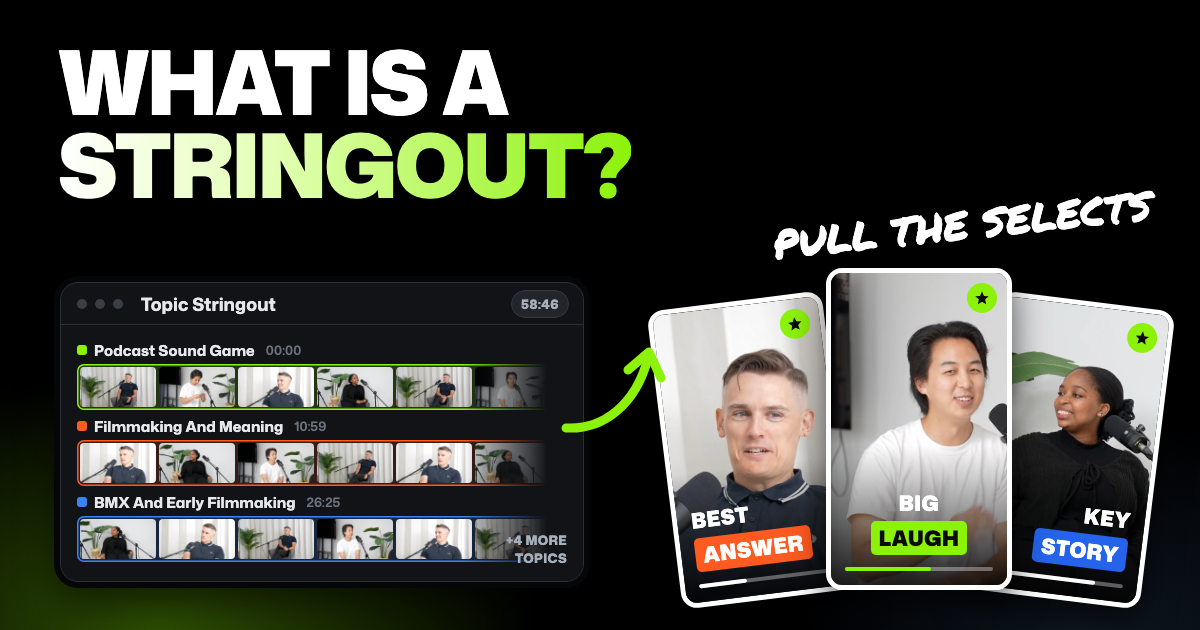
TLDR: A stringout is all the usable footage laid end to end on a timeline, so you can watch it in one pass. In editing, selects are the best moments chosen from that footage. A stringout shows you everything you have, and selects are your first decisions about what to keep.
Someone on your project asked for "the stringout" or "your selects", and the two sound like the same thing. They aren't, and mixing them up wastes a review session. This guide explains what each one is, where it fits in the edit, and how to make both.
One naming note before we start. Selects is also the name of our AI video editor. In this post, "selects" in lowercase means the editing term, and "Selects" with a capital S means the app.
- A stringout trims only the junk. Slates and chatter between takes go, and every usable take stays.
- You mark selects or pull them out. Editors flag them on the clips or move them onto a timeline of their own.
- They usually sit between logging and the assembly. Some editors pull selects first, some build stringouts first.
- The sizes differ a lot. A stringout runs close to the raw footage. Your selects are a small share of it.
What is a stringout in video editing?
A stringout is a timeline (the strip where clips sit in order) with every usable clip placed one after another. The name says what it is: clips strung together end to end.
In stringout editing, the trimming is light. You cut the slate (the clapperboard at the start of a take), the "rolling, action" and the setup chatter between takes. You don't cut for story yet, because the point is to watch everything once.
Most editors build more than one stringout. Common ways to split them:
- By scene. For scripted work, every take of scene 12 in one timeline, in shooting order.
- By interview. For documentaries and interviews, one timeline per person, with every answer in the order it was asked.
- By question or topic. Every person's answer to "how did the company start?" in one place.
- By shoot day. Everything from Tuesday, which is close to what film crews call dailies (the raw footage from each day).
So what is a stringout in editing? All the usable footage for one thing, in order. The "one thing" depends on the project.
What are selects in editing?
In editing, selects are the best moments chosen from the footage. Think of the strongest take of each line, the answer that lands, the shot that looks right. They're the raw parts you'll actually build the edit from.
Editors keep selects in two ways. Some mark them where they sit, with markers or color labels on the clips. Others pull them onto their own timeline, often called a selects sequence or select reel.
A select reel is also handy for review. A director or client can watch 20 minutes of the strongest material instead of sitting through a four-hour stringout.
Stringout vs selects: the difference at a glance
| Point | A stringout | Your selects |
|---|---|---|
| What it contains | Every usable clip, lightly trimmed | Only the strongest takes and moments |
| What it's for | Watching everything in one pass | Building the edit |
| When it's made | Right after the footage is organized and logged | After someone has watched the footage and chosen |
| Length compared with raw footage | Close to the raw footage, minus slates and setup chatter | A small share of the raw footage |
| Who uses it | Assistant editors build it; editors, producers and directors watch it | Editors and directors choose them; clients often review them |
| What comes next | Pulling selects, or a first assembly | The assembly, then the rough cut |
The short version: a stringout answers "what do we have?", and selects answer "what are we keeping?".
Where stringouts and selects sit in the editing order
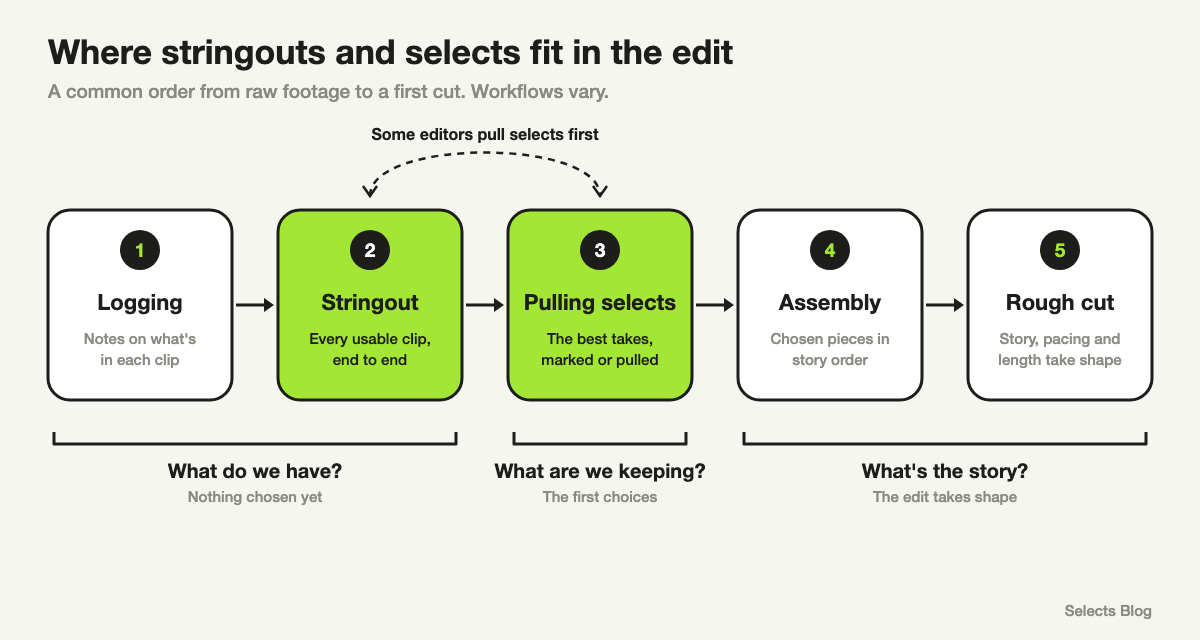
Here's a common order, from raw footage to a first cut:
- Logging. Notes on what's in each clip: who's in it, what's said, which take is which.
- Stringout. Clips laid end to end per scene, interview or topic.
- Pulling selects. The best takes and moments, marked or pulled out.
- Assembly. The first cut, with the chosen pieces in script or story order. It's long and unpolished on purpose.
- Rough cut. Story, pacing and length take shape, and the edit starts to feel like a video.
Workflows vary, and no order is the only correct one. Documentary editors often build a stringout per interview first, then pull selects from it. Scripted editors often get footage already grouped by scene, then choose the best take of each line.
Some editors pull selects first, string those together and call that the stringout. On small projects, one person may skip a step entirely.
In most workflows, the full stringout comes before story decisions, and selects are the first of them.
How to make a stringout by hand
This works in any editing app, including Premiere Pro, DaVinci Resolve and Final Cut Pro.
- Make a new timeline for one scene, interview or topic, and name it clearly.
- Drop in every usable clip, in shooting order or question order.
- Trim off only the slates, false starts and chatter between takes.
- Add a marker or title card at each new question or scene, so anyone watching can jump around.
Build one stringout per interview or topic, not one giant timeline. Nobody watches a six-hour stringout from start to finish, but they will watch a 25-minute one.
How to pull selects by hand
- Watch the stringout, or the raw clips, all the way through once before choosing anything.
- Mark the strong moments with markers or color labels as you go.
- Copy the marked moments onto a new selects timeline, grouped by topic or story beat.
- Where a line has retakes, keep one take. Put the runner-up right after it, in case the first choice doesn't fit later.
One warning: don't cut selects too tight. Leave a second or so before and after each moment. Those extra frames, called handles, give you room to make smooth cuts later.
How Selects, an AI video editor, helps with both
For one short interview, a stringout is quick to build by hand in any editor, and you don't need AI. The time adds up with hours of footage, several cameras or a scene shot fifteen times. That's where Selects can take over the prep.
It starts with analysis: Selects watches and listens to your footage first, so it knows what's in it. Each file gets a transcript with every word time-stamped and the speakers identified. It also gets topics and subtopics, and a short description of what's on screen.
Analysis uses credits. New users get 1,800 free trial credits, enough for about 5 hours of video. After that, credits come with a paid plan.
Selects never uploads your video file. Analysis sends the audio and still frames, and playback stays on your drive.
Logging and stringouts from topics
The topics work like a ready-made log: open a file, and its transcript shows each topic title as a heading. Click one to jump to that moment. In a draft (your working edit), you can rename any title that's off.
To build a stringout by topic yourself, drag a topic or subtopic onto your draft's timeline, and the whole section comes with it. Do that with each interview's section on the same subject, and you have a stringout for that subject without scrubbing.
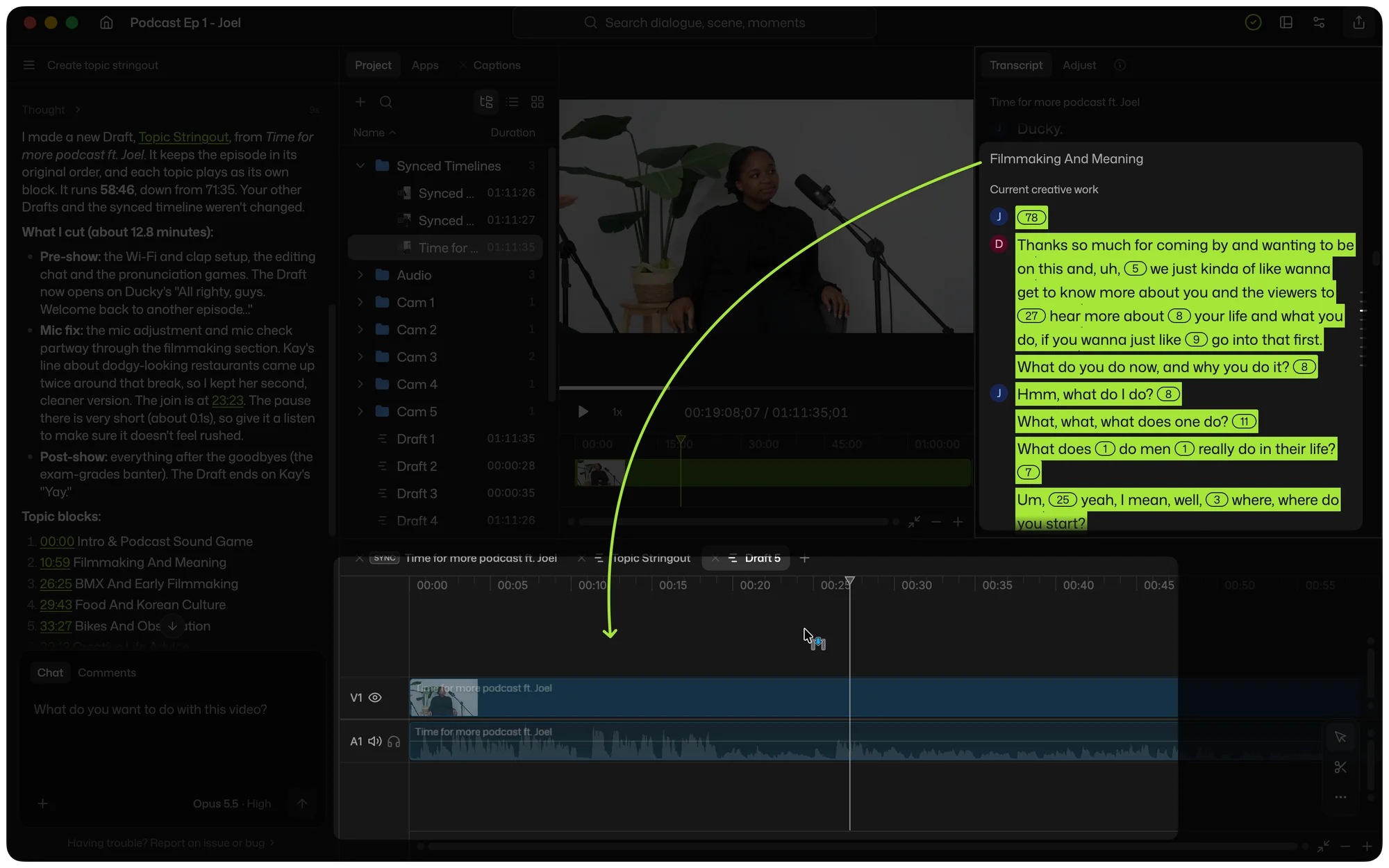
You can also ask chat, the AI assistant built into Selects, to build one. For example:
- "Make a stringout of every usable take, in order."
- "Build a stringout organized by question topic, not chronology."
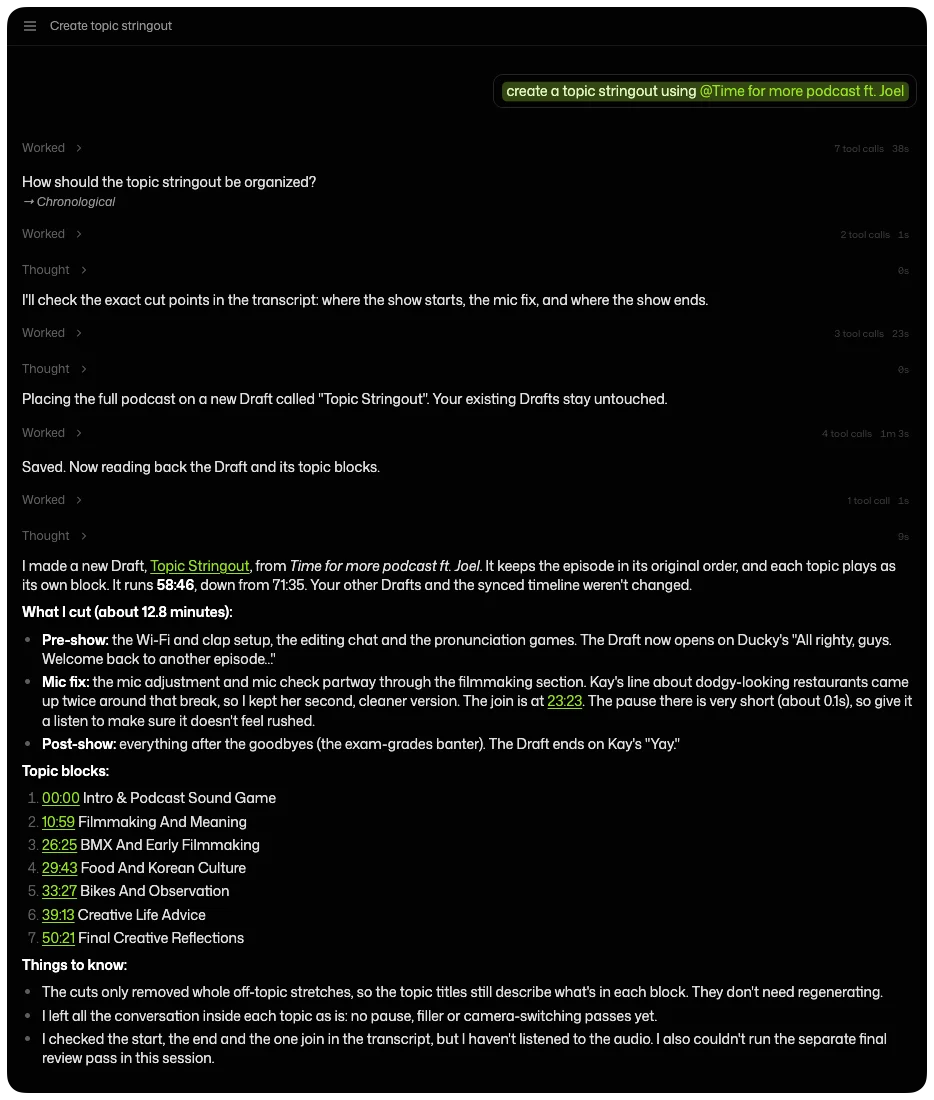
On our podcast demo, we asked chat to "create a topic stringout" from a 71-minute episode. It asked how to organize the topics, and we picked time order. Then it cut about 13 minutes: the pre-show chatter, a mic check and the post-show banter. Every topic stayed as its own block.
Chat on Selects' built-in models uses credits. If you already pay for ChatGPT or Claude, you can connect that plan and chat on it instead. Analysis still uses Selects credits either way.
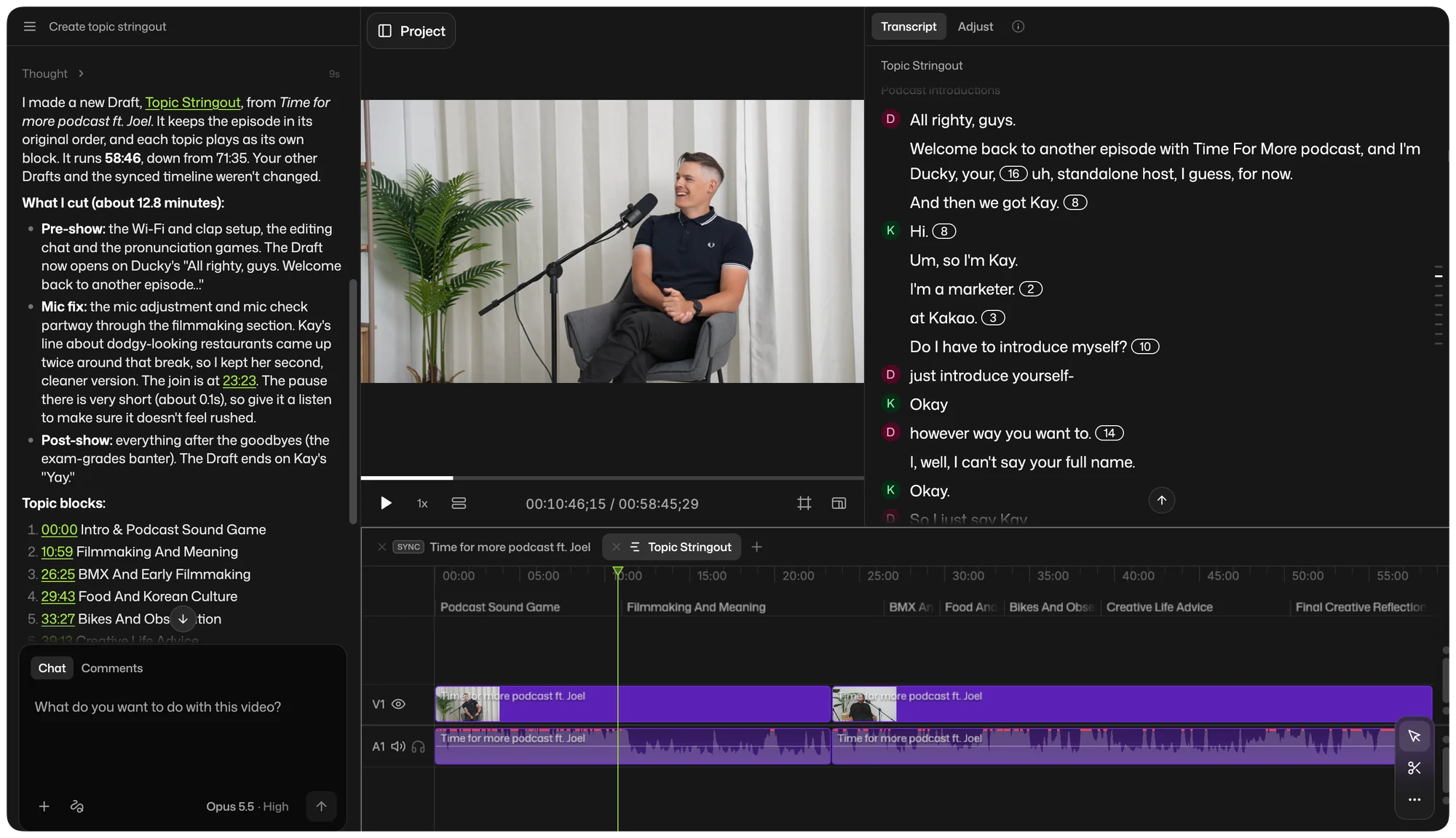
You can finish the whole video in Selects. If you'd rather hand it off to Premiere Pro, Final Cut Pro, DaVinci Resolve or Avid, topic titles can come along as markers. For click-by-click steps, see what topics and subtopics are in Selects.
Finding and choosing selects
Search covers what was said and what was on screen. Text search finds any word or phrase in the transcripts. Scene search finds a shot from a plain description, like "woman laughing" or "wide shot of the kitchen".
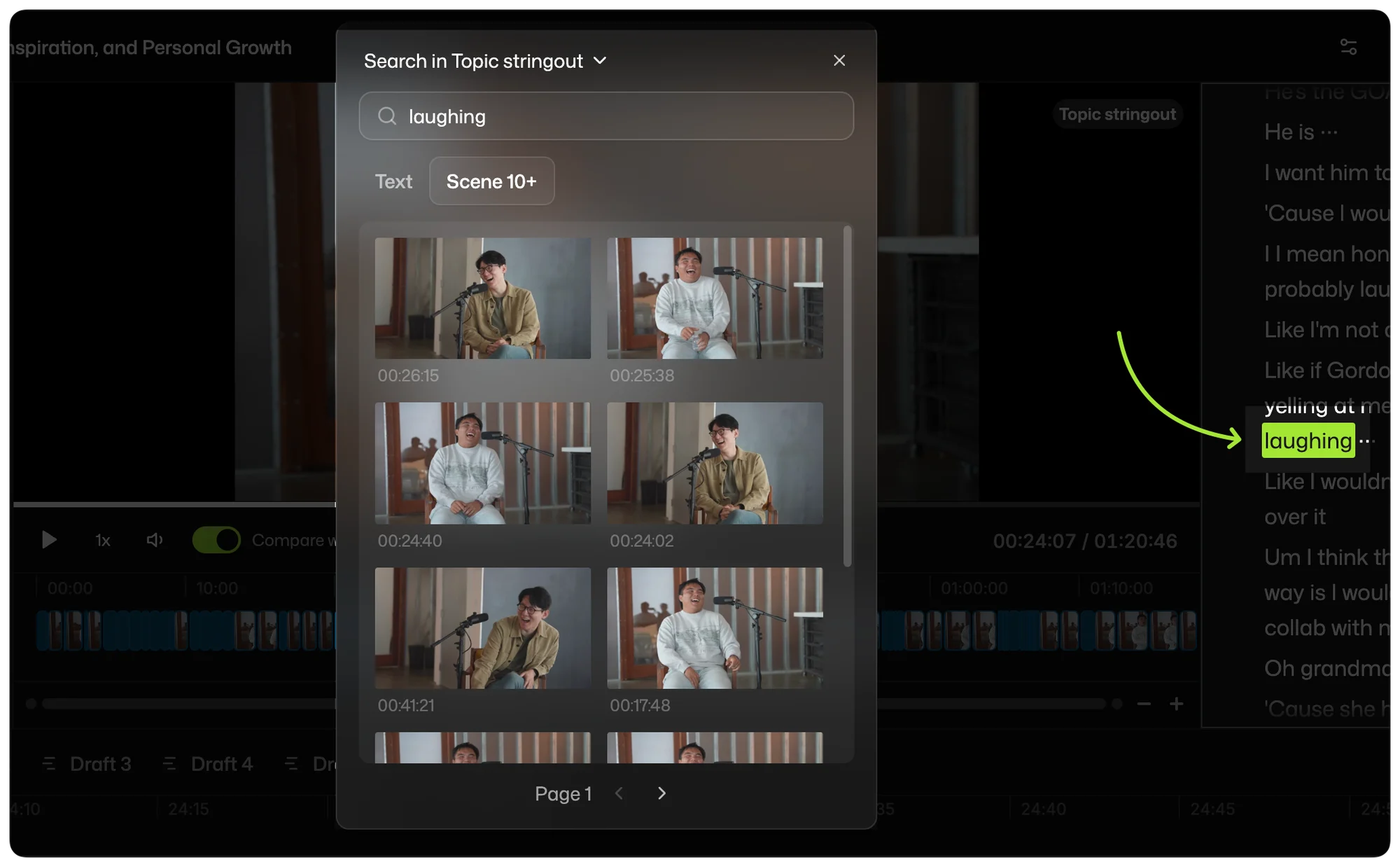
For retakes, ask chat to "keep only the best take of each line." Selects analyzes your shots, faces and speakers, not just the words, and groups retakes so chat can keep the best one.
A professional editor on our team tested retake removal on a talking-head video (one person talking to camera) with a script. The footage ran 7 minutes 13 seconds and was full of retakes. A human editor's cut ran 1:58, and Selects came in at 2:00, kept no retakes and chose the best takes.
Premiere Pro's AI Assistant also kept no retakes, but ran 2:14 with the same words the human editor cut to 1:58. CapCut kept retakes, including one line said three times. It was one run per tool, and the full results are on our comparison page.
Common stringout and selects mistakes
- One giant stringout. Split by scene, interview or topic, or nobody watches it.
- Cutting for story in the stringout. If you trim too much now, you lose material you didn't know you needed.
- No handles on your selects. A moment cut right on the word leaves no room for a clean cut later.
- Choosing before watching. The best answer is often the second or third time someone says it.
- Assuming everyone means the same thing. Some teams call a trimmed stringout "selects". Ask what they expect before you build it.
FAQs
Is a stringout the same as an assembly cut?
Not usually, though some editors use the two words for the same thing. A stringout is everything usable in shooting or question order, with no story decisions. An assembly puts the chosen pieces in script or story order, so it's the first version that tells the story. Here's how an assembly cut differs from a rough cut.
Is a stringout the same as dailies?
No. Dailies are the raw, unedited footage from a shoot, named for film developed overnight and reviewed the next day. A stringout is footage laid out on a timeline, which can be grouped by day but also by scene, interview or topic.