What Is Vibe Editing? How It Works, Where It Breaks and How to Try It
Vibe editing is describing the video you want in plain words and letting an AI video editor cut it. Where it works, where it breaks, and how to try it.

TLDR: Vibe editing means describing the video you want in plain words and letting an AI video editor make the cuts. You then watch the draft and give notes, as you would to a human editor. It works best when the AI has analyzed your footage first, so it knows where every word starts and ends.
You've heard of vibe coding, and now your algorithm says vibe editing is next. Here's what vibe editing means for video, where it works and where it falls apart. You'll also see a vague request next to a good one, and how to try it on your own footage.
- It edits footage you filmed. That's different from AI video generation, which makes new footage from a prompt.
- You stay the editor. The AI handles the slow parts, like finding moments and trimming pauses, and you make the calls.
- Decisions beat adjectives. "Make it punchy" leaves the AI guessing. A length, an audience and a few rules don't.
- It suits talk-heavy video best. Interviews, podcasts, tutorials, vlogs and lectures, where most of the work is finding and trimming.
What vibe editing means
Vibe editing is editing a video by describing the result you want, instead of making each cut yourself. You say what the video is for, how it should feel and how long it should be. An AI video editor turns that into cuts on a timeline, the strip at the bottom where your clips sit in order.
The name comes from vibe coding, where you describe an app in plain words and an AI writes the code. AI researcher Andrej Karpathy coined "vibe coding" in a post on X on February 2, 2025, according to Merriam-Webster. Collins Dictionary named it its 2025 Word of the Year.
Vibe editing borrows the idea: you describe the result, and the AI does the steps.
You'll also see it called vibe video editing, prompt based video editing or chat-based editing. They all mean typing requests in a chat box instead of dragging clips manually. The software doing the work is often called an AI video editing agent, because it plans the steps and makes the edits itself.
A vibe editing request can be as short as this:
Turn this 25-minute interview into a 6-minute YouTube video. Keep it calm and warm, not hyped. Open on her story about her first client, and never cut her off mid-sentence.
The AI video editor reads the footage, builds a draft and puts it on the timeline. You watch it, then reply with notes like "too tight, give each answer room to breathe."
Here's how vibe editing compares with editing by hand and with AI video generation:
| Editing by hand | Vibe editing | AI video generation | |
|---|---|---|---|
| What you start with | Your own footage | Your own footage | A text prompt, sometimes an image |
| What you do | Make every cut yourself | Describe the result, then give notes on the draft | Describe a shot, then generate again until it looks right |
| What you get | Exactly the cuts you made | A draft on a timeline you can watch and change | New footage that didn't exist before |
| Where it struggles | Time: hours of scrubbing through footage | Vague requests and unanalyzed footage | It can't show what really happened on your shoot |
| Who decides what's good | You | You | You |
Does vibe editing actually work?
Yes, for the parts of editing that eat the most time.
Once the AI video editor has analyzed your footage, a lot works well by chat. That includes finding strong moments, cutting retakes and pauses, and hitting a length. So does switching cameras in a multicam shoot, where several cameras film the same scene from different angles.
It falls apart when the AI doesn't know exactly where each word is, or when the request is too vague to act on.
Why the AI needs to analyze your footage first
In my experience, typing the vibe is the easy part, and landing it is the hard part. ChatGPT or Claude can control an editing timeline, but that alone doesn't make the cuts land.
Without analysis, the AI is guessing where a sentence starts and ends. So the cuts clip words or keep the wrong speaker.
Analysis is the AI watching and listening to your footage before it edits. It gives every word an exact start and end time, works out who is speaking and notes what's on screen. With that, "never cut mid-sentence" is a rule the AI can actually follow.
A professional editor on our team tested this on a 7-minute 13-second talking-head video full of retakes, with a script. We make Selects, one of the tools below.
A human editor's cut ran 1:58. Selects came in at 2:00, Descript 2:12, Premiere Pro's AI Assistant 2:14, Claude on its own 2:16 and CapCut 3:30.
Claude's cut had too many short, fast cuts and cut in the middle of the word "batch". It also kept three stumbles, cost $5 in AI usage and took over 15 minutes. It was one run per tool, and the full test results are on our comparison page.
Where vibe editing still needs you
- Taste. The AI doesn't know what your audience finds funny or which story matters most, unless you tell it.
- Tiny fixes. Nudging one cut by a few frames is often faster by hand than by typing.
- Weak footage. No AI turns a rambling recording into a great video. Good editing makes good footage better.
So vibe editing doesn't replace the person with the eye for it. You have the taste. Selects has the skills.
What a good vibe editing request looks like
Brief the AI like you'd brief an assistant editor. A good request makes four decisions: the goal, the footage, the rules and the shape. If a human assistant couldn't do it without asking you a follow-up question, the AI can't either.
Here's a vague request:
Make this podcast episode punchy and fun.
And here's the same idea as a brief:
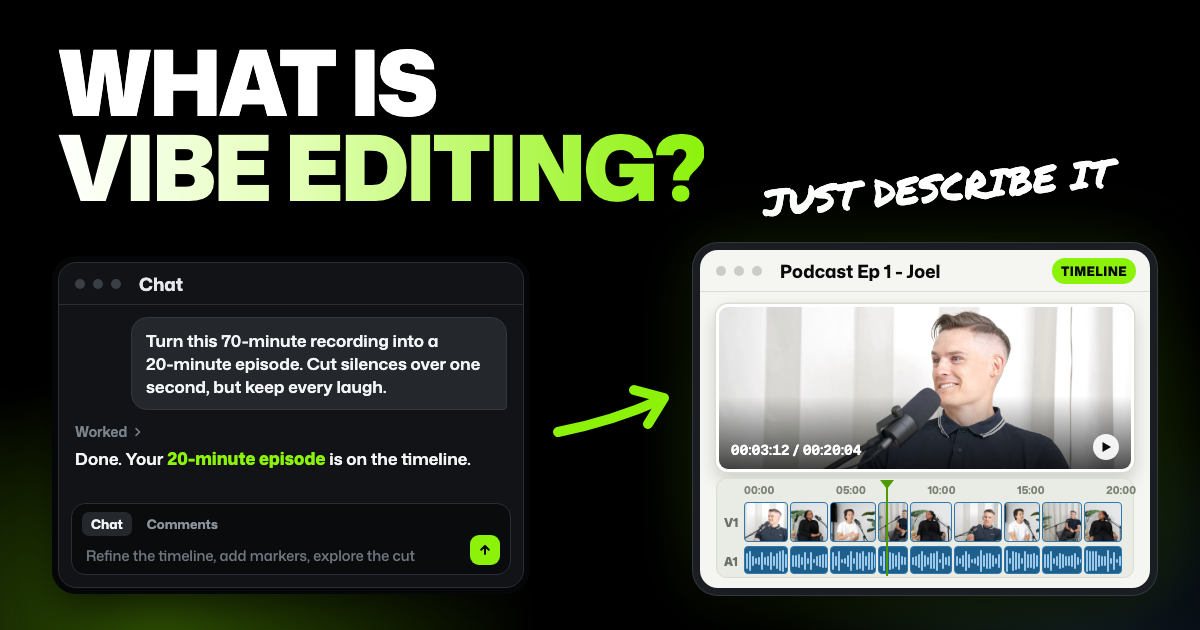
Build a 20-minute episode from this 70-minute recording for listeners who already know the show. Use all three cameras and skip the mic check at the start. Cut false starts and silences over one second, but keep every laugh. Open with the funniest 30 seconds from anywhere, then go in order.
The second one says what "punchy and fun" means here. It names the audience and length, the footage to use, what to cut and keep, and the order.
Turn vibe words into decisions
Mood words are a fine place to start. Just add what they mean in this video.
| Vibe word | What to say instead |
|---|---|
| Punchy | Remove silences over half a second, cut every restart and open on the strongest line |
| Calm | Keep the pause after each question. With more than one camera, hold each angle for at least four seconds |
| Engaging | Cut anything that repeats a point, and aim for 8 minutes |
| Tight | This runs 11 minutes and I need 8. Cut from the middle, and tell me what you removed |
| Cinematic | Leave it for later. Ask for the look once the story works |
Two habits help more than any wording:
- Plan before you cut. Ask for two or three ways to structure the video, with what each one leaves out, and pick one.
- Story first, finish last. Transitions, titles and captions laid over the wrong cut get thrown away. Ask for them once the cut works.
For more prompts by type of video, see how to write prompts for AI editing in Selects.
How to try vibe editing in Selects
Selects is an AI video editor that runs in your browser or as a desktop app for Windows 11 and Macs with an Apple chip. Editing by hand and exporting are free. Analysis and chat on Selects' built-in models use credits.
Step 1. Add your footage
Drag your recording onto the Home screen, and Selects makes a project for it. Your video file stays on your computer, because Selects never uploads it.
Step 2. Let Selects analyze it
Say yes when Selects offers to analyze the footage, and leave the app open until it finishes. Analysis sends only the audio and still frames.
Analysis uses 360 credits per hour of video, counted for every file. So two cameras that each recorded the same hour count as two hours.
New users get 1,800 free trial credits, enough for about 5 hours of video. After that, credits come with a paid plan.
Step 3. Choose who runs the chat
The chat runs on Selects' built-in models by default, paid with credits. If you already pay for ChatGPT or Claude, you can connect that plan and chat without spending Selects credits on the conversation.
Click the model name at the bottom right of the chat box. Then pick Reuse your ChatGPT subscription or Reuse your Claude subscription, and sign in through your browser. This works in the desktop app, not the browser version. Free ChatGPT and Claude accounts won't connect, and analysis still uses Selects credits.
Here's a step-by-step guide to editing with your ChatGPT plan, with a prompt for every stage of the edit.
Step 4. Describe the video
Start with a plan, not a cut:
Read the whole transcript and suggest two ways to structure a 6-minute YouTube video from it. For each, list the sections in order and say what gets left out. Don't cut anything yet.
Pick one, then ask for the rough cut, the first full version before any finishing touches. Your draft appears on the timeline.
Step 5. Watch it and give notes
Watch the draft once from start to finish before you change anything. Then give one note at a time, the way you would to an editor:
Too tight. Add half a second before and after every cut, and put back the part about her first client.
To point at an exact moment, leave a comment on the timeline as you watch, then send your comments to the chat. Repeating the same rules every project? Ask chat to save them as a skill, a saved set of instructions, and later projects use them too.
When it looks right, export the video or post it straight to YouTube, TikTok or Instagram. Exporting doesn't use credits.
FAQs
Is vibe editing the same as vibe coding?
No, but it's the same idea. Vibe coding is describing software in plain words so an AI writes the code. Vibe editing is describing a video so an AI video editor makes the cuts.
Can I vibe edit with ChatGPT or Claude?
On their own, they can plan an edit but can't reliably place the cuts, since they don't know where each word ends. Connected to an AI video editor that has analyzed the footage, they can. In Selects, a paid ChatGPT or Claude plan can run the chat.
Is vibe editing free?
Not completely, because the AI has to analyze your footage first. In Selects, editing by hand and exporting are free, while analysis and chat on Selects' models use credits. New users get 1,800 free trial credits, then it's a paid plan.
Will vibe editing replace video editors?
It replaces the slow, repetitive parts, like scrubbing through hours of footage and trimming pauses. Deciding what the story is, and whether a cut feels right, still takes a person.